01
Step 1
Start with your name.
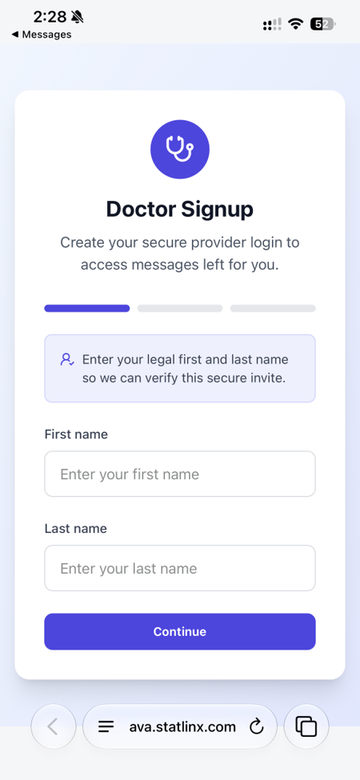
Enter your first and last name exactly as they appear on file to complete provider sign-up.
Use your legal first and last name so AVA can verify your secure invite.

Set up your secure provider login, choose how you receive reminders, and find help whenever you need it.
Look for a text addressed to Dr followed by your last name. Open the secure signup link in that message, then follow the steps below.
Enter your first and last name exactly as they appear on file to complete provider sign-up.
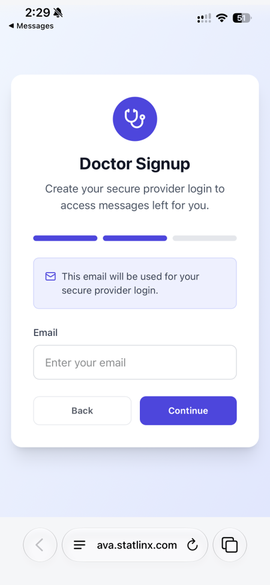
Enter the email address you will use to access your messages moving forward.
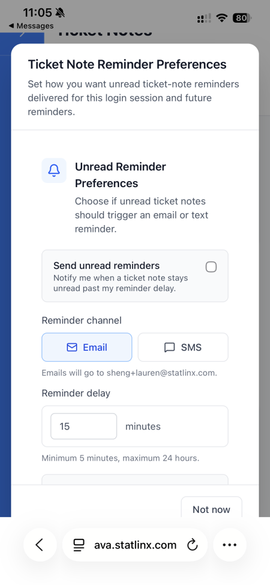
Choose whether to receive reminders by email or SMS, then set how many minutes should pass before a reminder is sent.
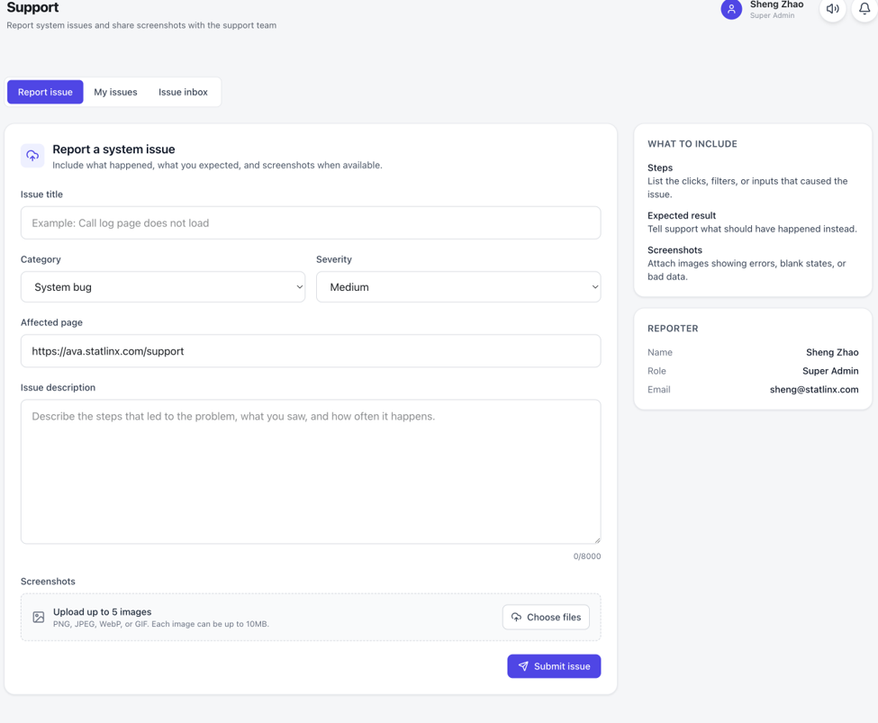
Submit a request from the Support page. Provide as much detail as possible about the issue, and attach screenshots to help the team understand the problem.
Sign in to submit and track requests. Prefer to talk? (914) 831-4300, 24 hours a day.